For the past few days, now that Google Search includes AI summaries in the EU, I’ve seen many people using UBlock Origin or extensions with similar capabilities to remove the AI slop at the top of the search results. However, I think this is not a good enough solution as it only cleans the output without actually disabling the feature that runs in the background. The energy will still be wasted, and the disturbance only will be put swept the rug.
There are better solutions for that, even if not perfect. This post will explain how to configure Firefox to use Google Search without AI. The same method should be applicable to any major browser, even though I’ve not tried it myself.
This tutorial has been written for Firefox 153 on macOS but should work in previous and later versions of the browser, and on all operating systems. The design of the options pages may differ though.
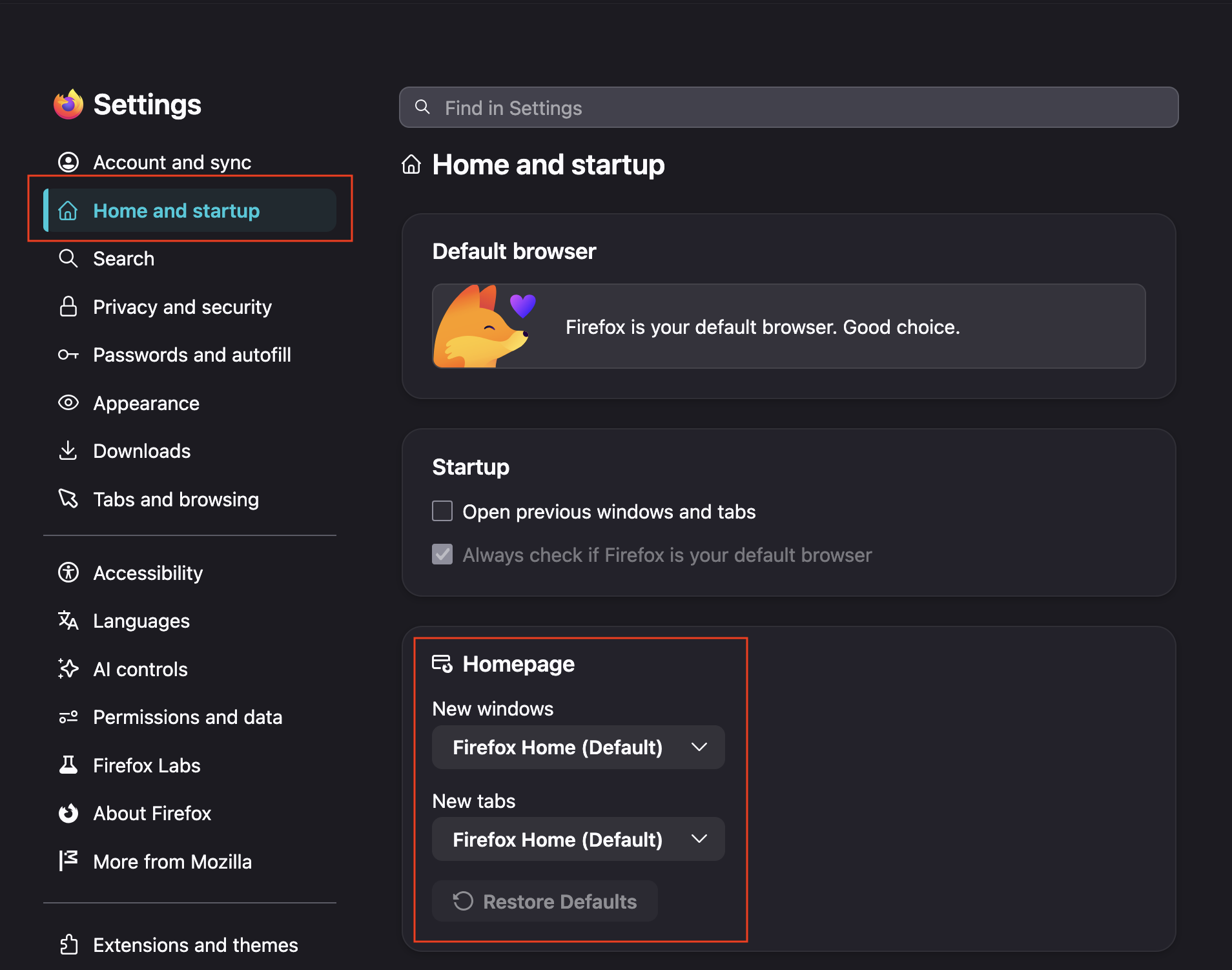
Unfortunately, no solution exists to start a search without AI from the Google homepage directly. So, if your Firefox is configured to open its new windows and tabs to that, I’m afraid it has to change. Fortunately, the “Firefox Home” page allows pretty much the same functionality regarding search, once we have setup the rest correctly. So my recommendation is to set Firefox back to use the “Firefox Home” as its homepage in all situations.
Firefox has a very useful feature that allows anybody to add search engines to the browser. The syntax is pretty simple and it supports suggestions too if available. We will leverage this feature to create an alternate “Google without AI” search engine entry. Unfortunately, Firefox doesn’t allow customization on built-in or extension provided search engine entries.
First, add a new entry:
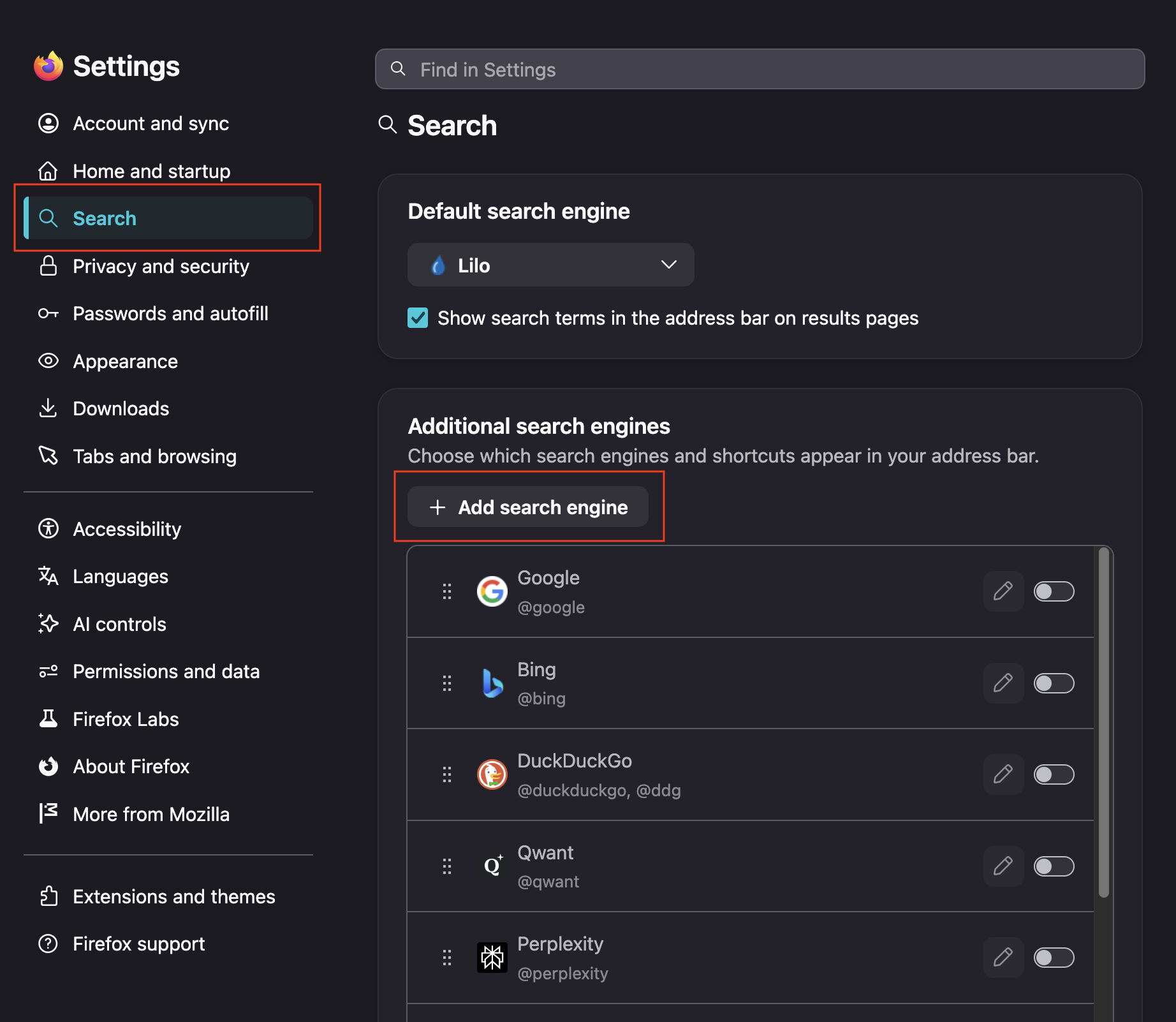
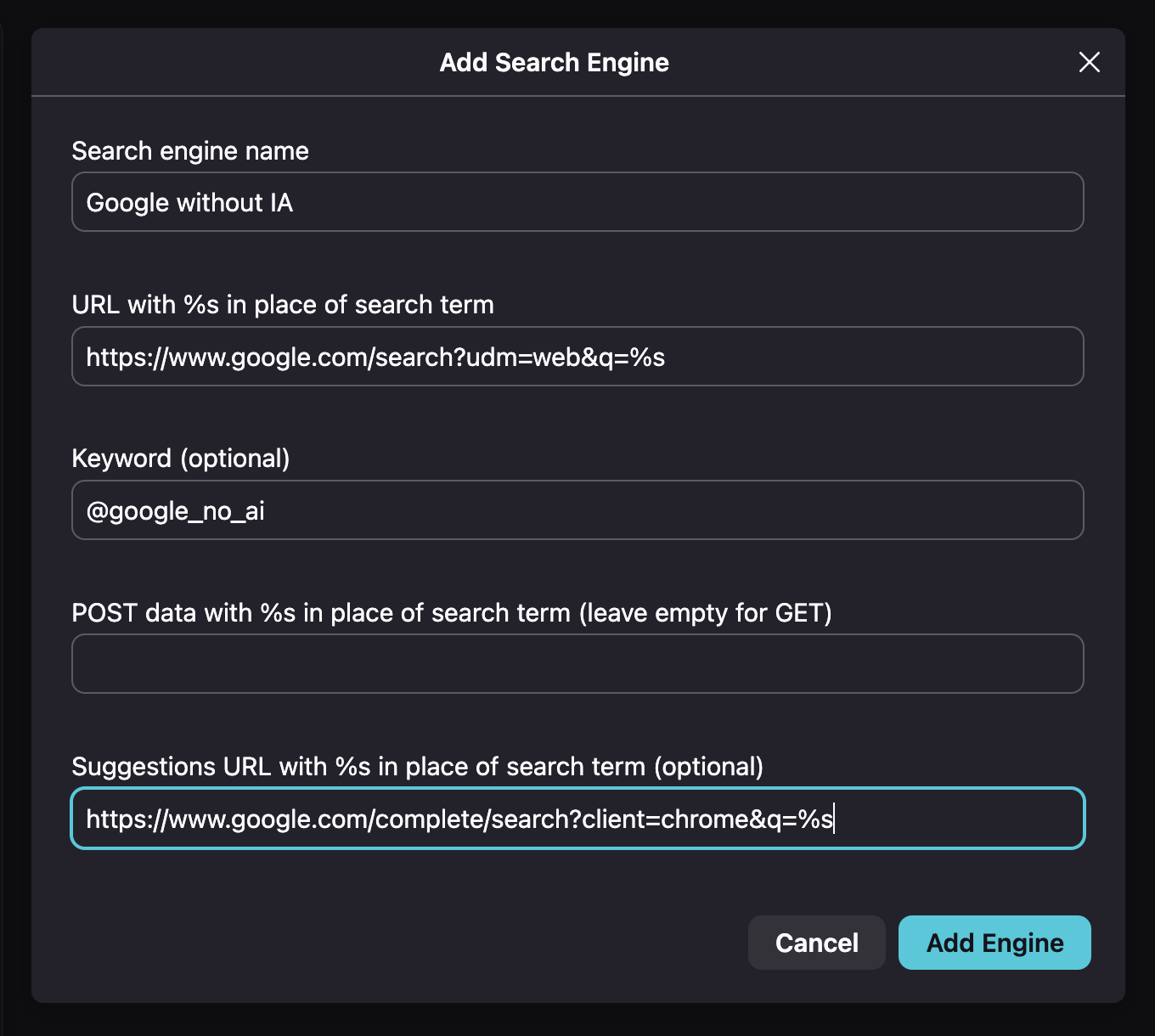
This will open a popup requesting the various parameters for the new search engine entry. Here are the various values to enter. You may have to click on the “Advanced” button to reach the last two.
Some preliminary note on the “Keyword” parameter:
This parameter allows you to call for a specific search engine in the address bar whenever it is needed. For example, I mostly use Lilo instead of Google, but sometimes Google is just better. So I just type@gin the address bar and Firefox automatically switches to Google (as this is my only other search engine starting with the G letter). Unfortunately, you can’t have multiple search engines configured with the same keyword (and of course the built-in Google entry has the
Search engine name:
Google without AI

URL with %s in place of search term:
https://www.google.com/search?udm=web&q=%s

Keyword (optional):
@google_no_ai

POST data with %s in place of search term (leave empty for GET):
<leave empty>

Suggestions URL with %s in place of search term (optional):
https://www.google.com/complete/search?client=chrome&q=%s
If you are using Google as your default search engine, you should then use the version without AI now. I also recommend switching off the regular Google search engine in the settings.
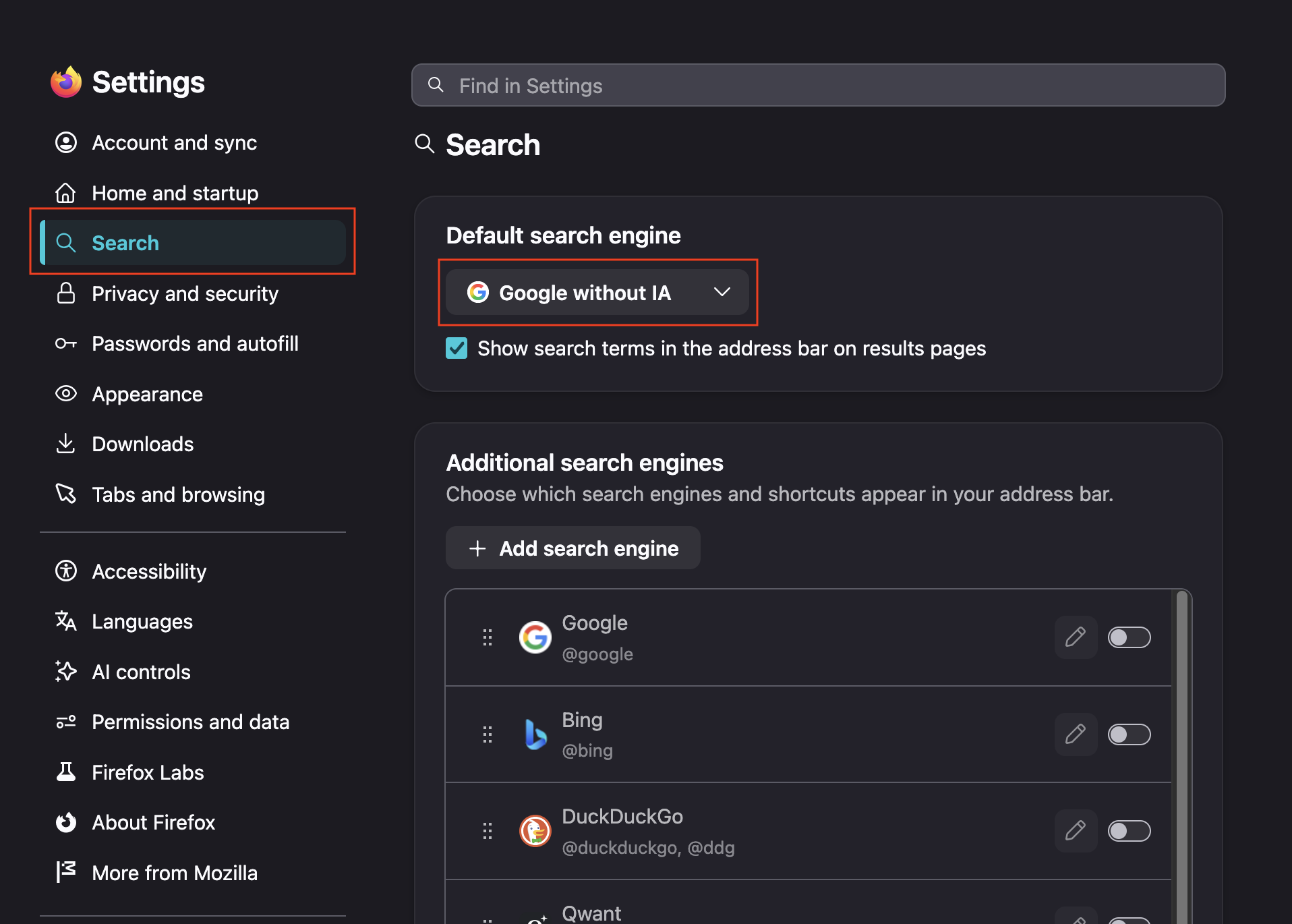
You are now good to go. You should be able to use Google without any AI summary for the foreseeable future. Let’s hope it will last long.


